Cutover Runbook & Hypercare Pack (Excel)
A 12-tab Excel workbook covering the entire go-live: the cutover weekend itself, and the hypercare period afterwards that most runbooks stop short of.
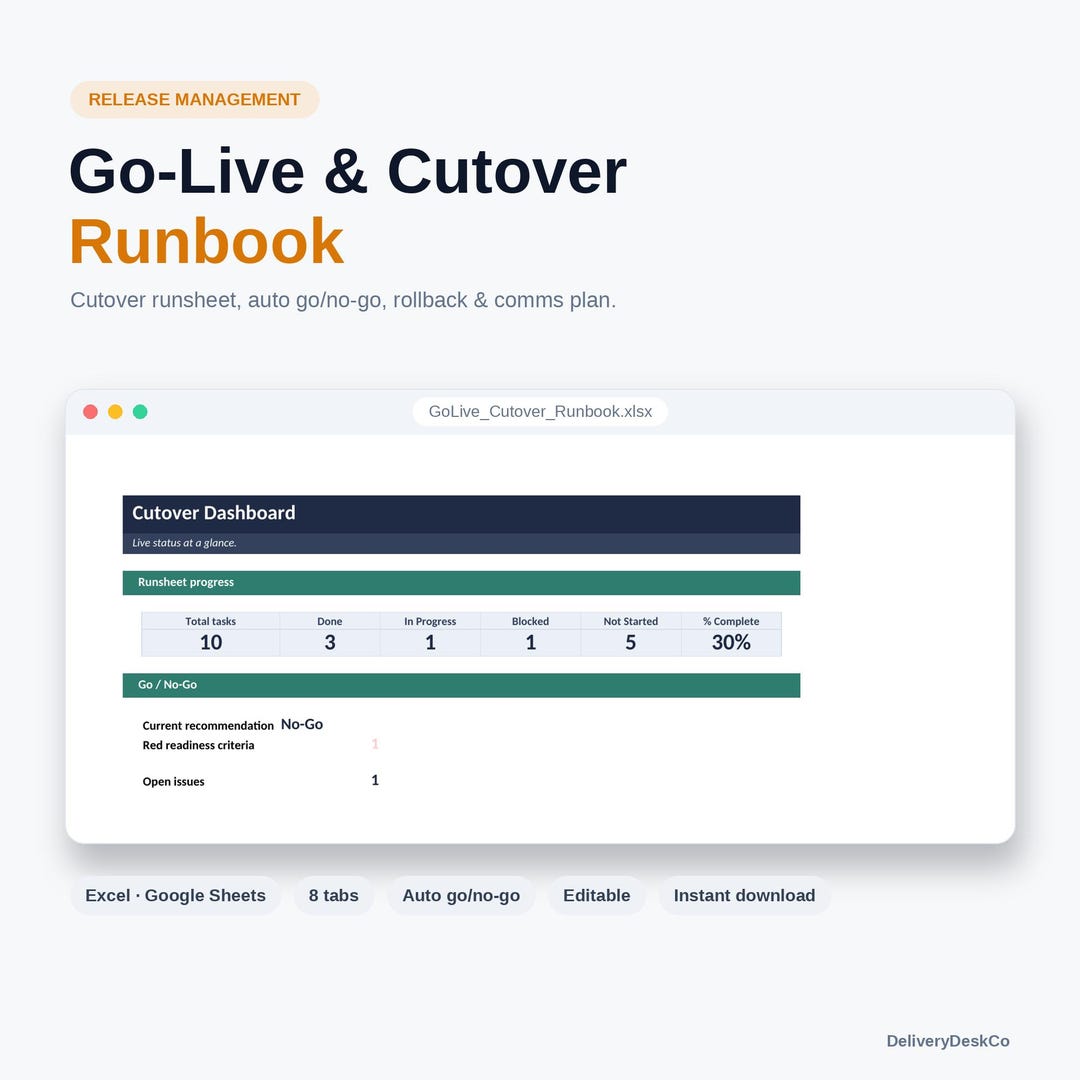
A cutover runbook is opened at three in the morning by people who have been awake for eighteen hours. Everything in it is arranged for that moment: the runsheet is sortable by owner so each person sees only their own rows, the rollback sequence sits in the same file rather than in someone's email, and the point of no return is a dated row on the timeline rather than a paragraph in a Word document.
The second half of the pack is the part almost no runbook includes. Hypercare is planned as a period and then never formally ends, because nobody wrote down what “over” means. Four tabs here exist to fix that: an exit criteria sheet, a P1 issue log, a daily hypercare log and a steady-state handover checklist.
Who it is for
IT project managers, release managers and programme managers running an ERP, platform or system go-live.
What is included
- Start Here — how to run the workbook across the cutover window
- Project Setup — release details, window, key contacts
- Cutover Runsheet — every task with start time, duration, owner and predecessor
- Go-No-Go Checklist — criteria with owners and status, ready for the decision meeting
- Rollback Plan — reverse sequence with its own timings and the point of no return
- Comms Plan — audiences, channels, timings and pre-written messages including the failure message
- Issue & Decision Log — what was hit and what was decided, during the window
- Hypercare Exit Criteria — the conditions that end hypercare, agreed in advance
- Hypercare Issue Log — P1 and P2 incidents after go-live
- Hypercare Checklist — the daily routine during the aftercare period
- Steady-State Handover — what support needs before it takes ownership
- Dashboard — cutover progress and hypercare health
When to use it
- You have a go-live weekend and no runbook
- The last cutover overran and nobody could say who was supposed to be doing what
- Hypercare on the previous release never formally ended
- An ERP, CRM or platform migration is approaching its cutover window
Format and compatibility
- File format
- Microsoft Excel workbook (.xlsx)
- Editable
- Yes — nothing locked, protected or watermarked
- Delivery
- Instant download after purchase on Etsy
- Licence
- Single-user commercial use on your own projects. See licence and downloads.
- Price
- €39,00
Delivered as a standard .xlsx workbook. No macros — the .xlsx format cannot contain them, so it opens without security warnings and passes corporate download policies. Every cell is editable; nothing is locked or password protected.
Questions
How is a cutover runbook different from a cutover plan?
A plan describes the approach; a runbook is the timed, task-level script executed during the window. The comparison guide sets out both.
Does it cover rollback?
Yes — a full reverse sequence with its own timings, and an explicit point-of-no-return marker on the timeline.
What does the hypercare section actually add?
Exit criteria agreed before go-live, a P1 issue log, a daily hypercare routine and a handover checklist for the support team. It is what turns hypercare from an open-ended period into a defined one.
Is it specific to SAP or a particular platform?
No. It is platform-neutral — the structure of a cutover window is the same whether the system is an ERP, a CRM or a bespoke build.
Get the Cutover Runbook & Hypercare Pack (Excel)
€39,00 — instant download, editable, no subscription and no account beyond Etsy.
View on Etsy →